Ninja Drive Review - Google Drive File Manager for WordPress
The Storage Crunch Every Media-Heavy Site Eventually Faces
There is a pattern every WordPress administrator recognizes. It starts the same way: a photography site uploading session after session of high-res images, a real estate agency adding listing galleries and floor plans, a membership site dropping in downloadable PDFs and videos. Month after month the Media Library grows, and month after month the hosting storage gauge inches closer to the red zone.
Then comes the email from your provider suggesting an upgrade. Or worse, the site runs out of space mid-upload. The instinct is to start deleting files you might need next week, all while paying a premium for disk space and bandwidth that Google would give you for free.
This is the exact scenario that Ninja Drive was designed to defuse. As a google drive plugin for wordpress, it moves your heavy media off your hosting disk and into your own Google Drive, then lets you browse, manage, embed, and stream those files directly from the WordPress admin. Your server never has to store or transmit the large files again.
In this review I will walk through my hands-on experience, what genuinely impressed me, and the trade-offs you should know about. Let me start with the quick note that matters for clarity.
A quick note on naming: Ninja Drive is an independent, third-party plugin from Plugininja and is not affiliated with, endorsed by, or an official partner of Google LLC. "Google Drive" and related trademarks belong to Google LLC. The plugin connects to the publicly available Google Drive API using your own authorized account.
Rethinking Where Your Files Live
The root cause of the storage crunch is a simple architecture decision: almost every WordPress site stores all its media on its own server. That is fine when your uploads are small, but it scales terribly. Consider what happens on a busy site:
- Disk fills up because every image, PDF, and video occupies hosting storage
- Bandwidth drains because every download transmits from your server
- Backups bloat because your snapshots include all that media
- Page load slows because large files compete with your site's dynamic content
The typical manual workaround, uploading files to Google Drive and pasting share links into posts, technically saves space but creates new problems. Visitors see raw, ugly file-ID URLs. Managing dozens of manual links is a chore. And nothing integrates cleanly with WordPress's native media handling.
Ninja Drive's approach is different: it makes Google Drive feel like a native extension of WordPress, so you get the space savings without the manual labor or ugly URLs.
My Hands-On Experience
I installed the plugin on a fresh WordPress site and ran through the typical workflows a site owner would actually use. Here is how it went.
Setup Took Under Two Minutes
The biggest pleasant surprise was the setup process. I have set up other Google Drive plugins before, and the usual ritual involves creating a Google Cloud project, configuring an OAuth consent screen, copying client IDs and secrets, and hoping you get every step right.
Ninja Drive skips all of that. Authorization happens with a single click using a secure OAuth 2.0 flow. No Cloud project, no credentials to paste, no intimidating configuration screens. I was connected to my Drive within two minutes of activating the plugin. Crucially, this effortless setup is included in the free version rather than reserved for paid users.
The security model is worth calling out: your credentials are never stored on third-party servers, tokens are encrypted, and the plugin only accesses the specific files and folders you authorize.
A Real File Manager Inside WordPress
Once connected, the plugin gives you a complete google drive file manager for wordpress inside the admin. You can upload, download, rename, move, copy, and delete files, create folders, and generate share links, all without opening a separate Drive tab. It genuinely feels like working in Drive, just from within WordPress.
Media Library That Points to the Cloud
The Media Library integration is where things get useful. Your Drive files become selectable as native media attachments, so inserting a Drive image into a post is exactly like inserting a regular upload. This turns the plugin into a practical google drive media library wordpress solution for teams that already keep assets organized in Drive.
If you prefer a local copy for a specific file, there is an import option. But the default keeps files in Drive, which is what saves the space.
Embedding That Looks Like a Design System
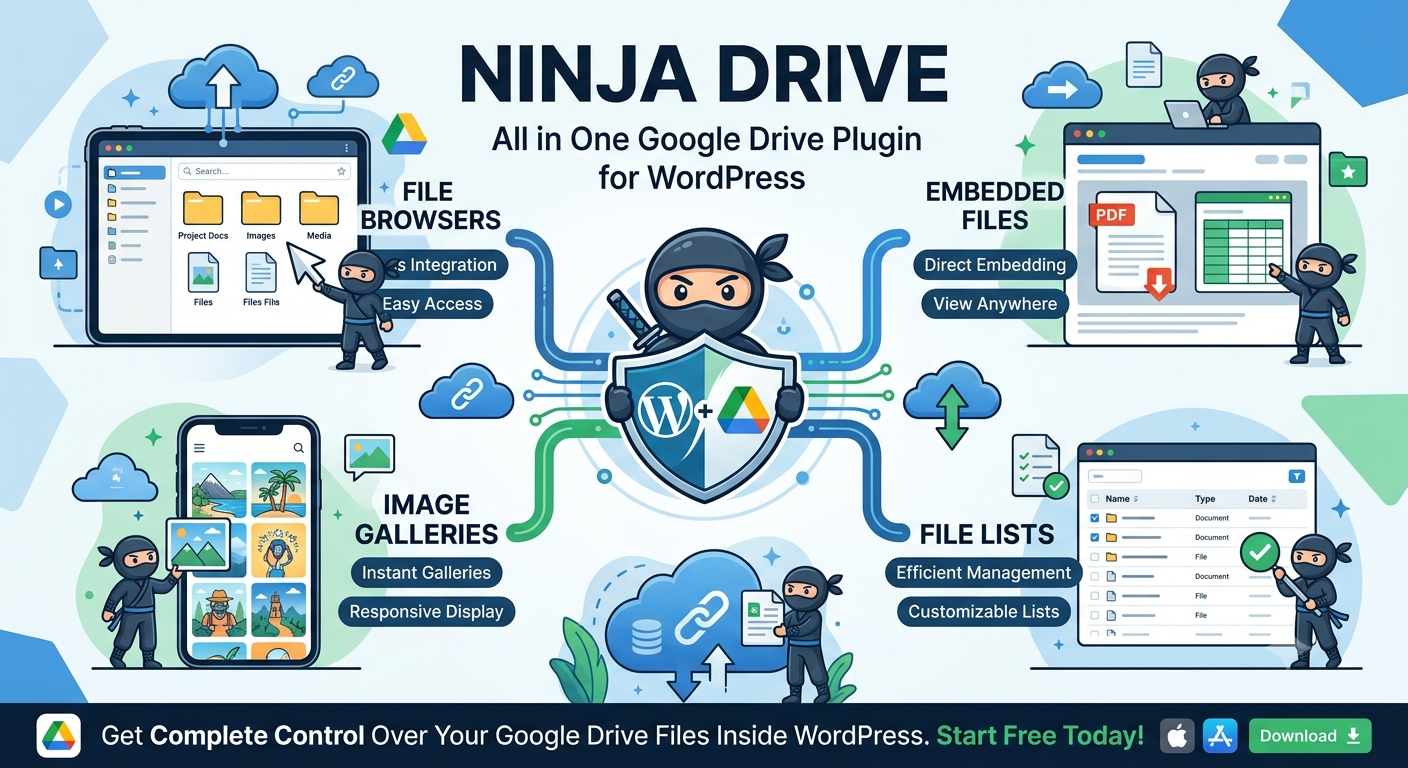
The Widget Builder is the standout feature for content-heavy sites. Instead of a bare iframe, you can present Drive files as a file browser, gallery, slider or carousel, file list, grid, or table. When you want to embed google drive files in wordpress, you get a styled component that matches how you actually want visitors to interact with the content.
Document embedding works well for PDFs, spreadsheets, and presentations. The file list widget gives visitors a clean way to sort and download.
Streaming Audio and Video
For anyone hosting large media files, the built-in media player is a genuine cost saver. It streams audio and video straight from Drive with playlist support, so podcasts, courses, and video-heavy sites never load the media onto their own server.
Accepting Uploads From Visitors
One of the most surprising features for a plugin at this level is the File Uploader. It lets visitors or clients upload files to google drive from wordpress directly through your site. Real estate agents can collect client documents, photographers can take submissions, and agencies can gather assets, all routed straight into the connected Drive. Even better, this uploader is part of the free version.
Controlling Access
For membership sites and client portals, the access controls are useful. You can restrict files by user role, login status, or password, and manage how embedded content is accessed. It is not enterprise-grade permission management, but it handles the common gating scenarios well.
Clean SEO-Friendly URLs
Ninja Drive's biggest structural advantage is that it serves Drive media from clean, crawlable URLs on your own domain, rather than exposing raw Google file-ID strings. I verified this by inspecting the rendered page source: files loaded from readable, indexable paths on my own domain. For SEO-focused site owners, this is a meaningful differentiator, especially since the feature ships in the free version rather than being gated behind an upgrade.
Managing Multiple Accounts
The multi-account support lets you connect and manage several Google Drives from a single WordPress install. If you juggle a personal Drive, a business Drive, and a client's Drive, they can all be wired into one site.
Integrations
Ninja Drive plays well with the ecosystem WordPress owners already use:
- Page builders and editors: Elementor, Gutenberg, and Classic Editor, plus shortcodes for placing files anywhere
- eCommerce and downloads: WooCommerce and Easy Digital Downloads for selling or delivering digital products
- Forms: Contact Form 7, WPForms, Gravity Forms, Ninja Forms, Fluent Forms, and Formidable Forms for upload-enabled forms
- Learning: Tutor LMS for course materials
Free vs. Pro: The Honest Breakdown
One thing that immediately stood out is that the free tier is a real product, not a teaser. The free version includes:
- One-click setup
- Elementor integration
- Gutenberg integration
- WooCommerce integration
- Media Library integration
- SEO-friendly URLs
- The File Uploader widget
The Pro version adds the Gallery widget, the form-builder upload integrations (Gravity Forms, WPForms, Ninja Forms, Formidable Forms, Fluent Forms), Easy Digital Downloads, and Tutor LMS, plus extras like multiple account management, auto synchronization, image caching, secure video playback, advanced search, dark mode, and premium support.
The fact that Elementor, WooCommerce, Media Library integration, SEO URLs, and the uploader are all free puts Ninja Drive ahead of most rivals, which tend to lock those behind an upgrade.
Pricing

Pricing starts at $49.99/year, with tiers based on the number of sites (Personal, Business, Professional, Agency, and Enterprise). There is also a lifetime option if you would rather pay once and skip renewals, plus a 14-day money-back guarantee. Payments run through Freemius using Stripe and PayPal.
Given that the free tier already covers a lot, most site owners can test the workflow at no cost and only upgrade once they need galleries, form uploads, or multi-account support. You can see the full breakdown on the Ninja Drive pricing page.
Who Should Use It
From my testing, the users who will get the most out of Ninja Drive are:
- Real estate sites with heavy listing galleries and client documents
- Bloggers with years of accumulated media weighing down their host
- Photographers serving full-resolution galleries without paying for the storage twice
- LMS and course creators streaming video and audio lessons from Drive
- WooCommerce and EDD stores delivering large digital downloads
- Freelancers and agencies managing multiple clients' Drives from one dashboard
- Anyone who wants to save server costs while keeping media in the cloud
If your site is light on media and you rarely brush against your storage limit, the payoff is smaller. This plugin shines when the media library is the reason your hosting bill keeps climbing.
Architecture and Security Notes
Ninja Drive runs a React-based admin built on the WordPress REST API rather than a legacy interface bolted onto an old codebase. In practice that means the dashboard feels fast and responsive, and it is actively maintained.
On the data side, the important points are simple. Your files stay in Google Drive; the plugin streams or embeds them and does not copy them onto your hosting. The connection is a secure OAuth 2.0 link with encrypted token storage, and the plugin only accesses the account and files you authorize. It is worth repeating that this is a separate product with its own codebase, so do not confuse it with similarly named Google Drive plugins from other vendors.
How It Stacks Up Against the Alternatives
| Factor | Ninja Drive | Manual Drive share links | Default WordPress uploads | A typical Drive plugin |
|---|---|---|---|---|
| Setup effort | One-click, no Cloud project | Copy and paste each link | Built in, nothing to add | Often needs OAuth credentials |
| Hosting space saved | Yes, files stay in Drive | Yes, but manual | No, everything on your disk | Usually yes |
| Front-end URLs | Clean, crawlable, your domain | Raw Google file-ID strings | Your domain | Raw file-ID on most plugins |
| Media Library integration | Yes, and in the free version | No | Native | Often Pro-only |
| Front-end display widgets | Browser, gallery, list, player | Basic embed only | Basic blocks | Varies, many are Pro |
| Visitor and client uploads | Yes, uploader is free | No | No, admin only | Usually Pro |
| Multi-account support | Yes | Manual per link | N/A | Often Pro or missing |
The honest read: manual share links cost nothing and work for a handful of files, but they get unmanageable fast and leave you with ugly front-end URLs. Default WordPress uploads are the simplest option until your disk fills up. Most dedicated Drive plugins do save space, but they tend to gate the useful widgets, Media Library integration, and SEO-friendly URLs behind a paid tier, and several still make you set up a Google Cloud project by hand. Ninja Drive's argument is that it puts the practical pieces in the free version and skips the credential wrangling.
Strengths and Trade-offs
What Ninja Drive does well:
- Real hosting savings, since files stream from Google rather than your server
- One-click authorization with no Google Cloud project setup
- SEO-friendly URLs on your own domain, a rare and genuinely useful edge
- A free tier that includes features competitors charge for
- A modern, responsive admin that does not feel dated
Things to keep in mind:
- The most advanced widgets and form integrations sit in Pro
- Access control covers common cases but is not deep enterprise permission management
- Like any Drive-dependent tool, your media availability relies on Google's uptime and your account status
Frequently Asked Questions
Is Ninja Drive free?
Yes. Ninja Drive has a generous free version on the WordPress plugin repository that includes one-click setup, Elementor and Gutenberg integration, WooCommerce integration, Media Library integration, SEO-friendly URLs, and the File Uploader widget. The Pro version starts at $49.99 per year and adds the Gallery widget, form upload integrations, Easy Digital Downloads, and Tutor LMS support.
Does Ninja Drive require a Google Cloud project?
No. Most Google Drive plugins require you to set up a Google Cloud project and configure OAuth credentials manually. Ninja Drive authorizes with a single click, and this is available in the free version.
Can visitors upload files to my Google Drive through Ninja Drive?
Yes. The File Uploader widget lets visitors and clients upload files directly into your connected Google Drive from the front end of your site. It is included in the free version and is useful for real estate agents, photographers, and agencies collecting client documents.
Which page builders and form plugins does Ninja Drive support?
Ninja Drive integrates with Elementor, Gutenberg, and Classic Editor for page building, plus WooCommerce and Easy Digital Downloads for eCommerce. Form integrations include Contact Form 7, WPForms, Gravity Forms, Ninja Forms, Fluent Forms, and Formidable Forms. It also supports Tutor LMS for course materials. Some of these integrations are available in the free version, while others require Pro.
How does Ninja Drive handle security?
Ninja Drive connects to your Google Drive through a secure OAuth 2.0 flow with encrypted token storage. Your credentials are never stored on third-party servers, and the plugin only accesses the files and folders you authorize. Files remain in your Google Drive and are streamed or embedded on your site rather than copied to your hosting server.
Final Verdict
Ninja Drive does the thing it sets out to do, and it does it without the setup headaches that make most Drive plugins a chore. The combination of a real file manager, native Media Library integration, a working free uploader, and clean SEO-friendly URLs makes it one of the more complete options in the category. The bigger and more media-heavy your site, the more obvious the win becomes.
For WordPress site owners and freelancers who are tired of paying for storage they do not need, it is an easy plugin to recommend. Start with the free version to see how it fits, then move up when you need galleries, form uploads, or multi-account management.
Review score: 4.6/5
Useful links:
- Product page: plugininja.com/ninja-drive
- Free download: wordpress.org/plugins/ninja-drive
- Documentation: plugininja.com/docs
Ready to stop paying for storage you do not use?
👉 See Ninja Drive pricing and get started
For more WordPress plugin reviews, check out our Conversion Business Captcha Review and Rankioz Review.
Tags
# Review# Ninja Drive# google drive plugin for wordpress# google drive file manager for wordpress# embed google drive files in wordpress# google drive media library wordpress# upload files to google drive from wordpress# WordPress plugin# Google Drive integration# WordPress media library# WooCommerce# Elementor# SEO friendly URLs# cloud storage# file manager# media hostingFollow for new blogs
Subscribe to our blog
Subscribe to Newsletter
Subscribe to our newsletter to get the best products weekly.